
Viewer
Usage guide for Viewer.
Overview
Viewer is a quick online viewer built with @manycore/aholo-viewer. It can import any supported asset and display the result directly. It also supports LOD-format data generated by @manycore/aholo-splat-transform.
Browsers cannot access local files directly. For
chunk-loddata, host the files with a server orCDN. You can use@manycore/aholo-splat-dev-serverfor quick local hosting.
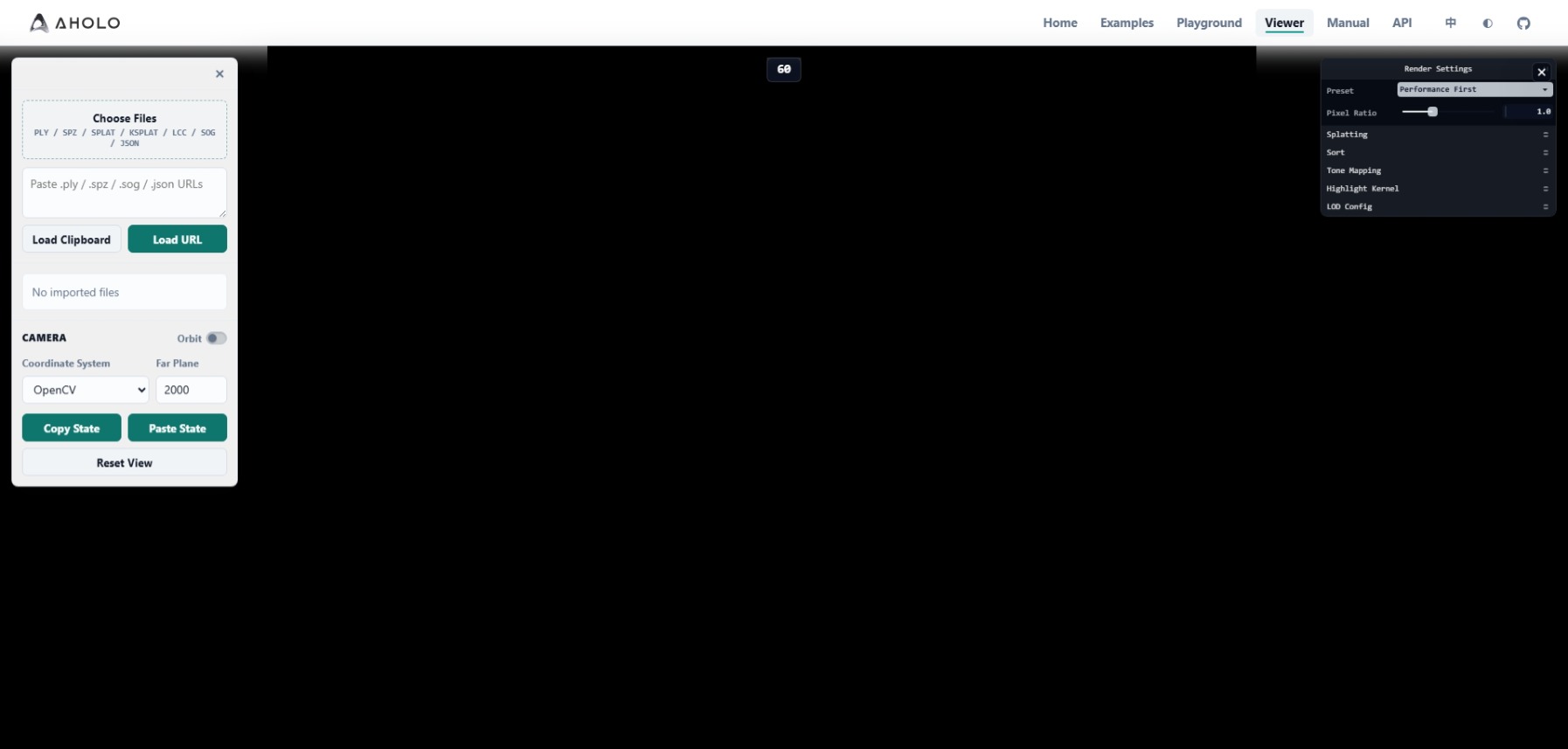
Usage Guide
- The left panel imports supported data formats and configures the camera.
It supports local files, URLs, and clipboard data (URLs). Local data only supports a complete single asset and does not support
chunk-loddata.The camera provides 3 switchable coordinate systems: OpenCV (-Y up, point-cloud coordinates), OpenGL (+Y up, common model coordinates), and Aholo (+Z up, the default coordinate system for Aholo platform data).
- The right panel controls
3DGSfeatures and pipeline configuration. See3dgs-preset-config.
Local Quick Validation Platform
Install Dependencies
npm install @manycore/aholo-splat-transform -g
npm install @manycore/aholo-splat-dev-server -g
Usage
For the full @manycore/aholo-splat-transform guide, see splat-transform.
@manycore/aholo-splat-dev-server
@manycore/aholo-splat-dev-server provides two executable commands. splat-dev-server starts a local hosting service for assets used by Viewer. merge-lod merges multiple lod-meta.json files and their related assets into one new lod-meta.json, which is useful for combining chunked processing results back into one large 3DGS chunk-lod dataset.
splat-dev-server: starts a server for quickly hosting assets used byViewer.splat-dev-server [options] <dir> Options: --help Show help [boolean] --version Show version number [boolean] -a, --address Address to listen [string] [default: "127.0.0.1"] -p, --port Port to listen [number] [default: 3000]After startup, you should see output like this:
========================================
Splat dev server started
Host: 127.0.0.1:3000
Root: ./chunk-lod
Base URL: http://127.0.0.1:3000
========================================
Access resources under
Rootthrough theBase URL, then enter that URL into the correspondingViewerfield.Note: When used in
Viewer, the browser may ask for permission. Allow the request.Viewerdoes not access unhosted resources or collect any user information.merge-lod: merges multiplechunk-lodgeneration outputs into one result. It is usually used after generatingchunk-lodin separate chunks and then merging them into a complete largechunk-loddataset.merge-lod -i <meta-files...> -o <output_dir> Options: --help Show help [boolean] --version Show version number [boolean] -i, --input Input lod meta files(lod-meta.json) [array] [required] -o, --output Output directory [string] [required]