
Aholo-Viewer Basic Concepts
Introduces Aholo-Viewer scenes, objects, lights, cameras, and the basic rendering flow.
Reading Entry
This guide provides the core concepts needed to start using Aholo-Viewer.
What Is Aholo-Viewer
Aholo-Viewer is a general-purpose renderer for standard Mesh and 3DGS content. It supports multiple Web graphics APIs, including WebGL and WebGL2.
Usage Model
The basic usage model is to add objects and lights to a scene, configure the scene and camera, and then trigger rendering.
Objects
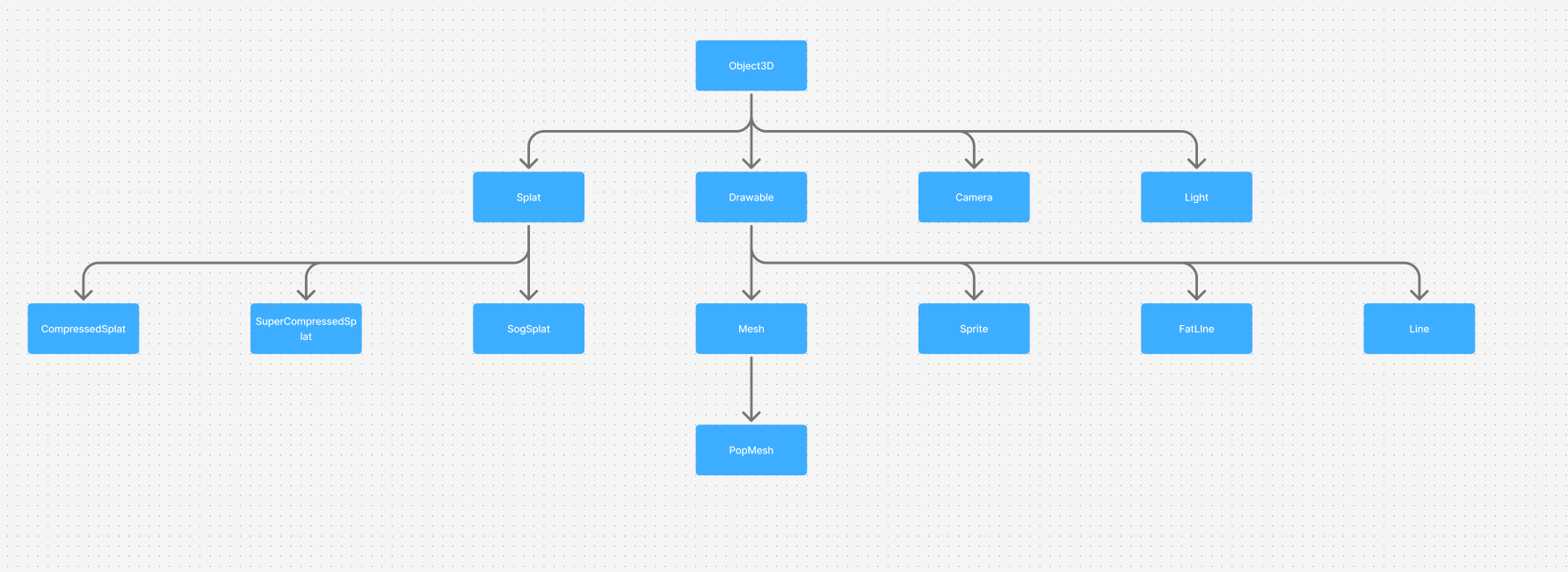
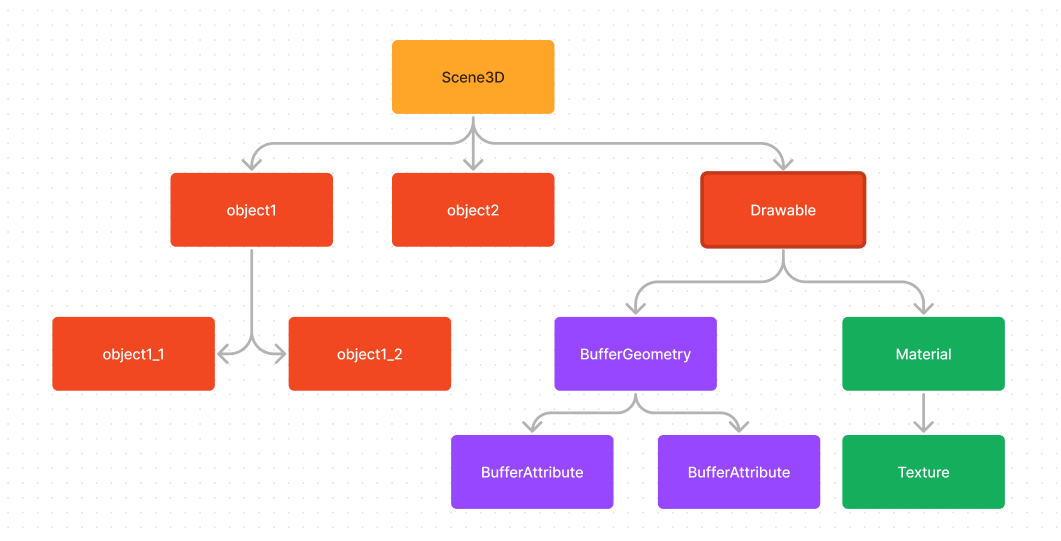
Objects are three-dimensional entities represented by Object3D in Aholo-Viewer. Object3D is the base class for scene composition, with the inheritance structure shown below.
Core Object3D state includes:
parentandchildren: Parent-child relationships used to organize the scene. AnObject3Dcan have at most oneparent, and child nodes can be added or removed through theaddandremoveAPIs.position,rotation, andscale: Local position, rotation, and scale. These properties produce the object’s local-space transform matrix, also called the local matrix.
When an object has a parent, the local matrix alone does not fully describe its transform in world space. The child object must be combined with the parent’s world matrix to produce its own world matrix. The world matrix is the transform that actually represents the object in the scene.
Object3D itself is not renderable. Its subclasses Splat and Drawable are the base classes for renderable objects:
Splatis the base renderable object for3DGSdata and contains complete3DGScontent.Drawableis built aroundmaterialandgeometry.
Splat
Splat cannot be constructed directly. It has multiple subclasses used for concrete construction paths and different precision requirements.
CompressedSplat: Regular precision compression for high-precision display.SuperCompressedSplat: Higher-ratio compression that trades precision for lower rendering cost and better performance.SogSplat: A direct rendering component designed for thesogformat. It does not support higher-order spherical harmonics, but it provides a good balance of rendering performance and visual quality.
Materials
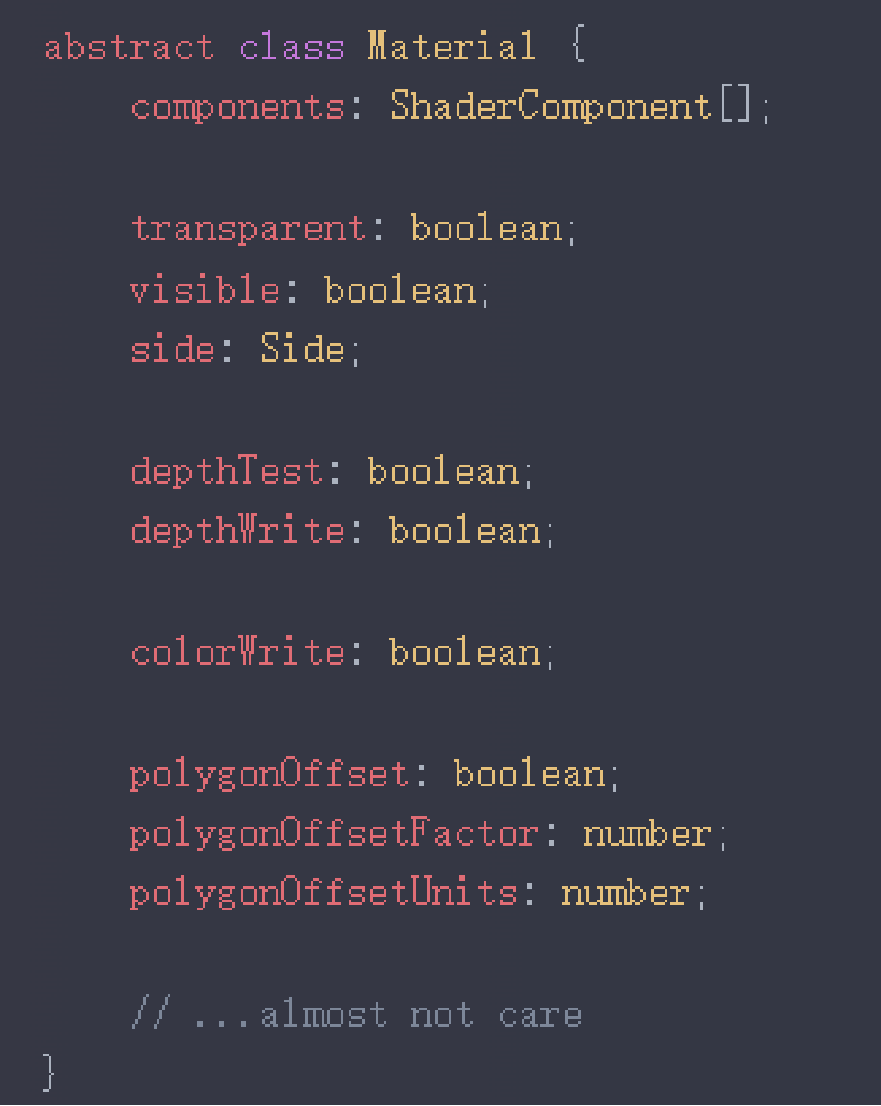
material describes the visual appearance of an object. Common material types include the lighting-aware MeshPhongMaterial and the basic MeshBasicMaterial.
Geometry
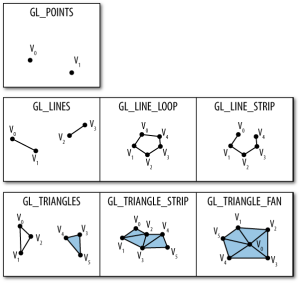
geometry describes surfaces, lines, or points. The most common geometry is made of triangle faces and is rendered as a Mesh.
Geometry data is stored in attributes. In addition to the position attribute, common attributes include:
uv: Used for texture sampling.normal: Used for lighting calculations.index: Reduces duplicated shared-vertex data by indexing intoposition.
The inheritance tree also includes PopBufferGeometry, which supports geometry described by PopBuffer. It supports LOD and should be used together with PopMesh.
In typical usage, PopMesh behaves similarly to a regular Mesh.
Lights
Lights are also Object3D instances. Lights and materials together determine how an object appears.
Common light types include:
DirectionalLight: Light emitted from an infinitely distant source in a specific direction, similar to sunlight.AmbientLight: Non-directional ambient light, commonly used to simulate diffuse indirect lighting.
A common setup uses one AmbientLight and four DirectionalLight instances from different directions to illuminate the scene.
Shadows are also related to lights. The shadow field on a light controls shadow parameters, and the castShadow field on Drawable controls whether the object casts shadows. In addition, planarShadow is a special planar shadow that does not depend on lights and must be enabled through configuration.
Cameras
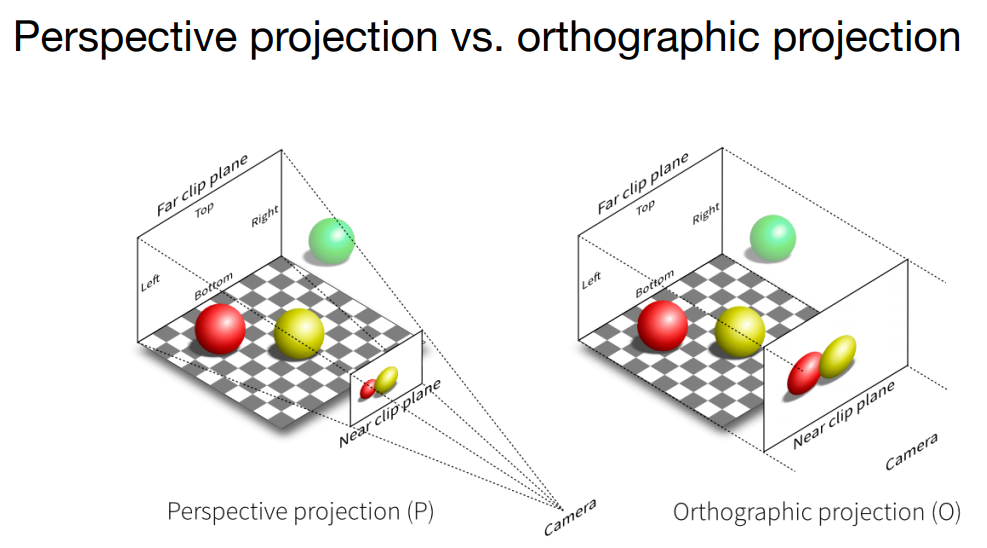
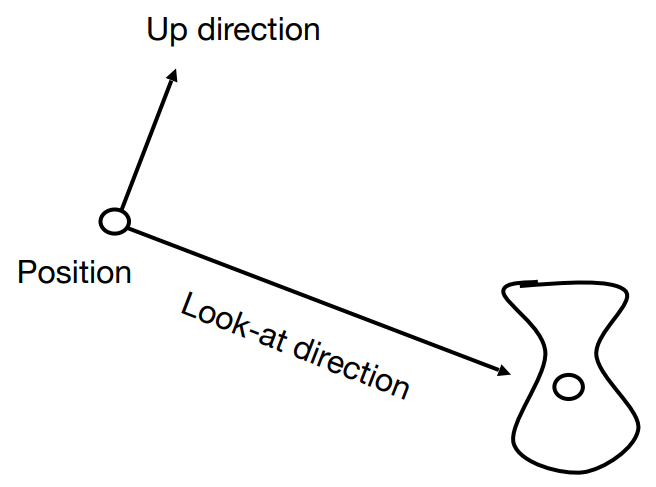
Cameras represent the viewpoint in the scene. Common camera types fall into two categories:
PerspectiveCamera: A perspective camera that follows the near-larger, far-smaller perspective rule. This is the most common camera type.OrthographicCamera: An orthographic camera that does not apply perspective scaling.
Scenes
A scene is also commonly called a scene tree, or SceneTree. It is the data source used by final rendering.
Viewport
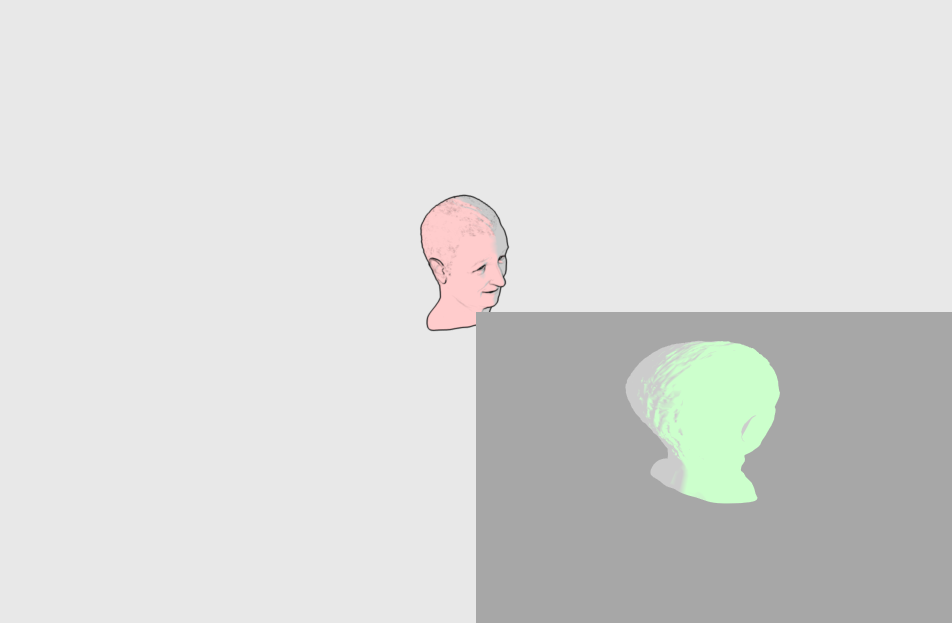
A viewport is an Aholo-Viewer rendering output unit with its own bounds. A viewer can contain multiple viewports. A viewport provides the following behavior:
- It can cover the full canvas or a bounded region of the canvas.
- It can own an independent camera.
- It has an independent pipeline configuration. For available options, see Viewer Config.
- When a
Vieweris created, it contains one default viewport that represents the full canvas.
Internal Rendering Flow
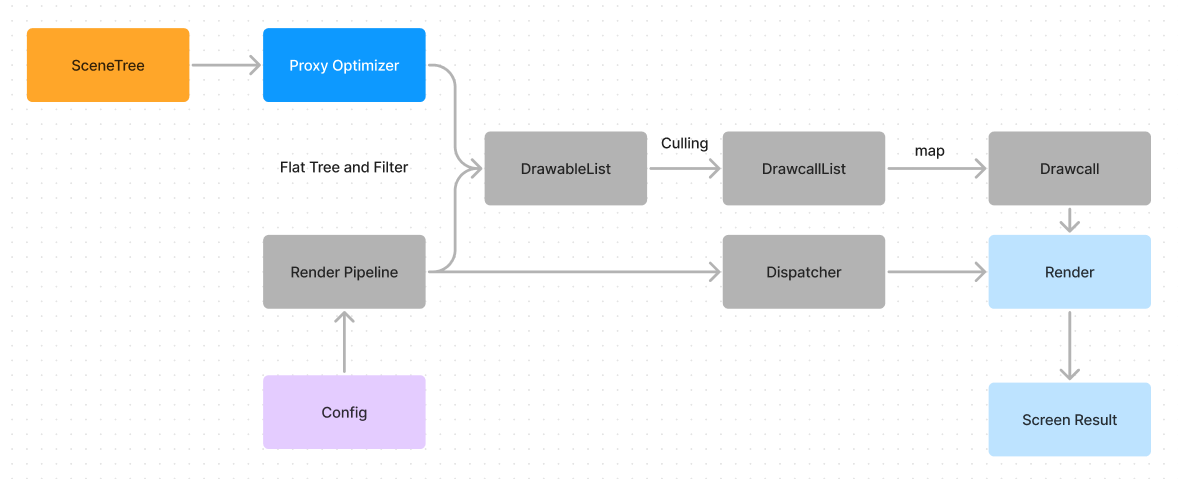
The user-provided Config affects draw-list generation through the Render Pipeline. The generated DrawcallList stores the information needed for each draw command. Each drawcall maps to a low-level graphics API call, so drawcall count usually correlates with CPU cost.
To inspect this flow directly, install the Spector Chrome extension and capture a frame.
Usage Summary
A basic render can be summarized as:
- Create a
Scene. - Add objects and lights to the scene tree through the
addAPI. - Configure the scene, camera, and viewer options.
- Call the
renderAPI to trigger rendering.
Model Support
In theory, Aholo-Viewer can render any model that can be converted into the Aholo-Viewer scene structure. Aholo-Viewer also provides loaders for common model formats that can be used as needed:
- gltf-loader: Loads models described by the glTF/glb format. Because Aholo-Viewer currently primarily renders with Phong materials, PBR-based glTF materials may not be converted completely.
- draco-loader: Loads geometry described by Draco. The geometry must then be converted into a structure Aholo-Viewer can recognize.
Plugin System
Aholo-Viewer also provides plugins for additional capabilities, such as data monitoring and animation:
- Aholo-Viewer-animation: Adds animation support for Aholo-Viewer. It is recommended to construct animated content with gltf-loader. The plugin currently supports skeletal animation and standard property interpolation transforms.