
Playground
Playground使用指南
概览
Playground是一个方便用户直接使用@manycore/aholo-viewer进行代码验证的轻量在线编辑器。编辑器基于monaca-editor开发,并提供了完整的typescript支持和基础代码提示功能
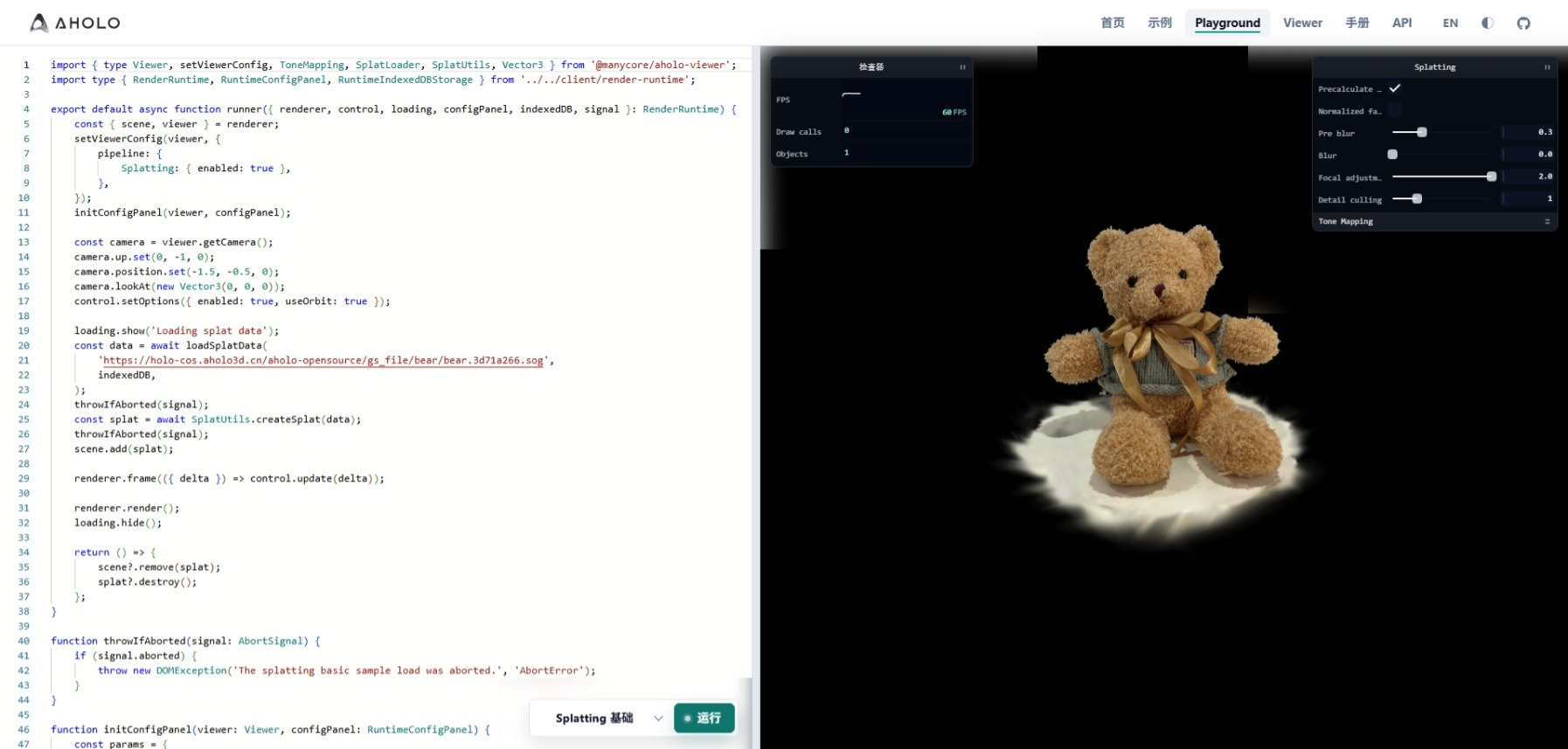
使用方式
基础代码模板:
import { type Viewer } from '@manycore/aholo-viewer';
import type { RenderRuntime } from '../../client/render-runtime';

// typing of `RenderRuntime`
// interface RenderRuntime {
//     // core renderer
//     renderer: RuntimeRenderer;
//     // camera interaction controller
//     control: CameraControl;
//     // loading fame controller
//     loading: RuntimeLoadingController;
//     // a config panel component base on tweakpane
//     configPanel: RuntimeConfigPanel;
//     // indexed db cache storage
//     indexedDB: RuntimeIndexedDBStorage;
//     // abort signal dispatcher
//     signal: AbortSignal;
// }

export default async function runner({ renderer, control, loading, configPanel, indexedDB, signal }: RenderRuntime) {
    const const { scene, viewer } = renderer;
    // do work with scene & viewer
    // ....
    // use `throwIfAborted(signal)` to check whether abort requested
    // use `loading.show(info)` to update the loading to what ever you want to indicate which step is running

    // config frame call back, return a boolean to indicate whether anything updated
    renderer.frame(({ delta }) => {
        const cameraUpdated = control.update(delta);
        let animationUpdated = false;
        // update animation here...
        return cameraUpdated || animationUpdated;
    });

    // request next frame render
    renderer.render();
    // hide loading frame
    loading.hide();
}

function throwIfAborted(signal: AbortSignal) {
    if (signal.aborted) {
        throw new DOMException('The splatting basic sample load was aborted.', 'AbortError');
    }
}除了基础模板外,部分示例也可以通过示例页面的下方按钮或者playground下方的预设选择直接打开现有的样例代码直接查看编辑。完成编辑后,点击运行执行代码即可看到展示效果。已经完成编辑的代码也可以通过直接复制链接分享给其他人。
注意事项
- 目前
playground不支持导入第三方库。 - 如果需要反馈
@manycore/aholo-viewer的相关问题,我们推荐在playground构造最小样例一并提交至issues